Inventory Movement Worksheet Templates
The Movement Worksheet allows for the movement of product from a Receiving or Put-away (Storage) Bin to a Pick Bin for distribution on Agency Orders in Ceres 5. This document describes setting up the Inventory Movement Worksheet Templates.
Setting up Warehouse Worksheet Templates
-
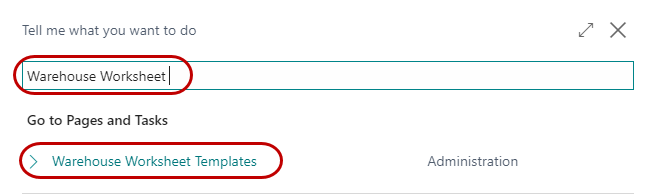
The Warehouse Worksheet Template can be created by going to Departments ▸ Warehouse ▸ Administration ▸ Whse. Worksheet Templates.
-
A new template can be created by clicking New on the Home ribbon from the Whse. Worksheet Templates List. Enter MOVEMENT in the Name field and Movement Worksheet in the Description field. Select Movement in the Type field and input 7351 in the Page ID field.
-
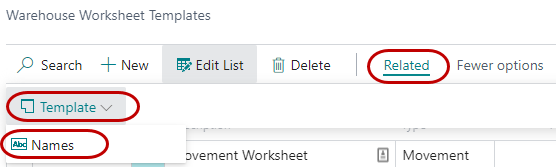
To access the Worksheet Names, click Names in the Navigate ribbon.
-
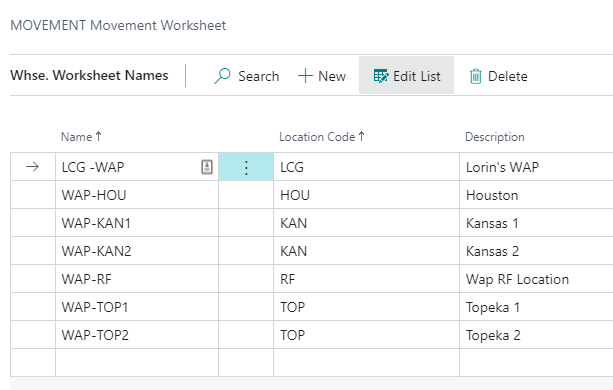
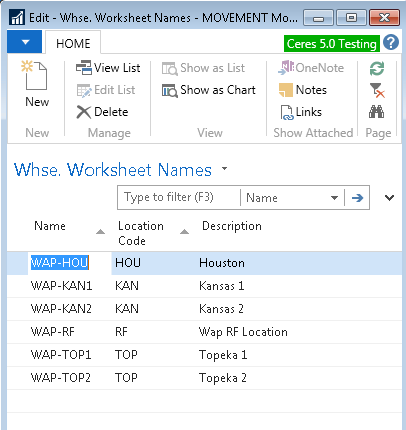
In the Edit – Whse. Worksheet Names – Movement Worksheet Page, enter the name of your Worksheet (i.e. KAN, etc.). Select the appropriate Location for the Worksheet, enter a meaningful description, and then click OK.
-
Repeat the process and create as many Worksheets as needed for each location.