Reason Codes Mandatory Overview
Reason codes are used to indicate why an entry was created. When you set up reason codes, you can place them on entries and assign permanent codes to specific journal templates and journal batches. This document illustrates the functionality available in Ceres 5 to optionally require that a valid Reason Code must be entered on designated transactions.
Ceres Object release 5.00.00 is required for the functionality described in this document.
Overview
The purpose of this document is to illustrate the functionality available in Ceres to require a valid Reason Code to be entered on designated transactions. The functionality is optional and can be set via a setup parameter within Ceres. The functionality is applicable to all users/logins. The primary functional areas affected are:
- Item Journals (all types, by batch)
- Return Orders (all types)
- Credit Memos (all types)
Setup
There are three setup parameters, one each for Item Journals, Agency Return order/credit memos and Purchase Return orders/credit memos. The settings for agency and purchase documents is controlled by a parameter on the setup form for those functional areas. Item Journal setup is accomplished on a batch basis where you can determine which batch types require Reason Codes and which batches allow Reason Codes to be optional.
Item Journal Setup
-
The Item Journal Templates list can be accessed from Departments Administration Application Setup Warehouse Inventory Lists Item Journal Templates.
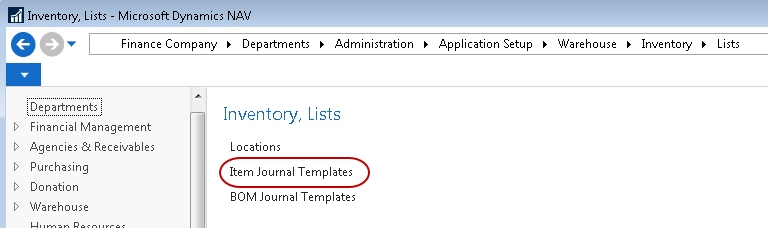
-
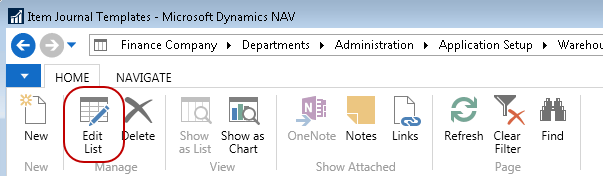
From the Item Journal Template Lists, select Home Edit List.
-
On the Edit – Item Journal Templates List, select which templates will require a Reason Code by checking the box Reason Code Mandatory on the applicable template lines. You may also specify on this template a default Reason Code if desired.

Agencies & Receivables Setup
-
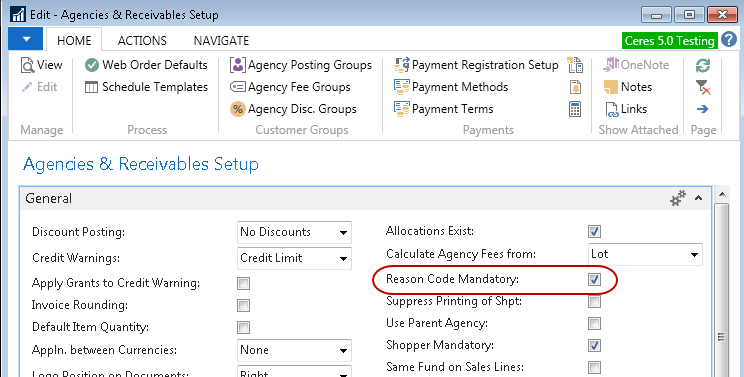
To enable Reason Code Mandatory for Agency related transactions, navigate to Departments ▸ Agencies & Receivables ▸ Administration ▸ Setup ▸ Agencies & Receivables Setup.

-
Locate the Reason Code Mandatory field on the General FastTab and set it accordingly.
Purchases & Payables Setup
-
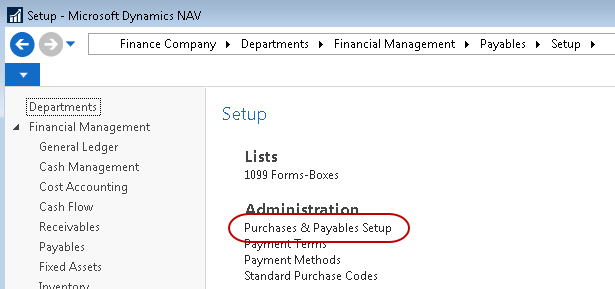
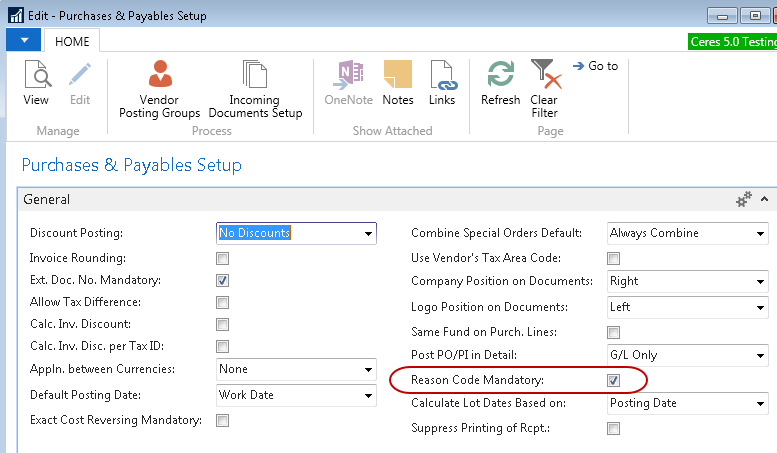
To enable Reason Code Mandatory for Vendor related transactions, navigate to Departments Purchase Financial Management Payables Setup Purchases & Payables Setup.
-
Locate the Reason Code Mandatory field on the General FastTab and set it accordingly.
Examples of Functionality
These are just some examples of the various documents that are affected by this functionality. Please review the detailed documentation for these processes for more information.
Item Journals
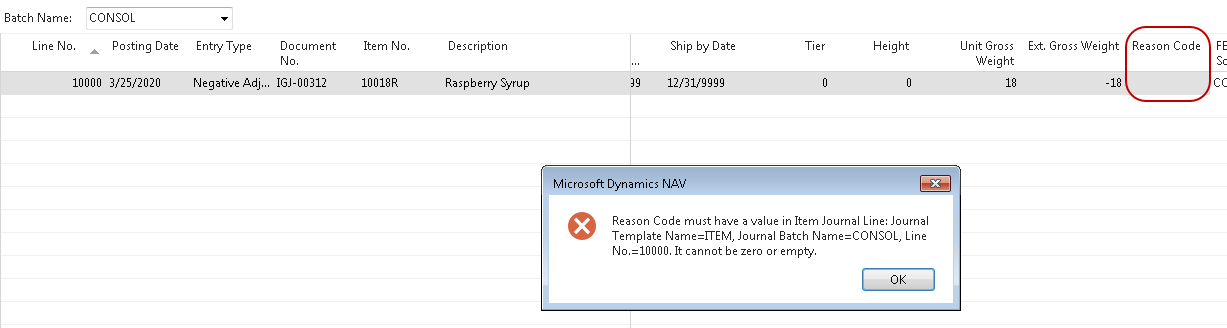
When attempting to process Item Journals where the Reason Code Mandatory flag has been checked for the associated item journal template, the user will be required to enter a valid Reason Code to process the transactions. Failure to enter a valid Reason Code will result in the inability to post the transaction and an error message. Entry of a valid Reason Code will allow the transaction to continue.
Purchase Credit Memo
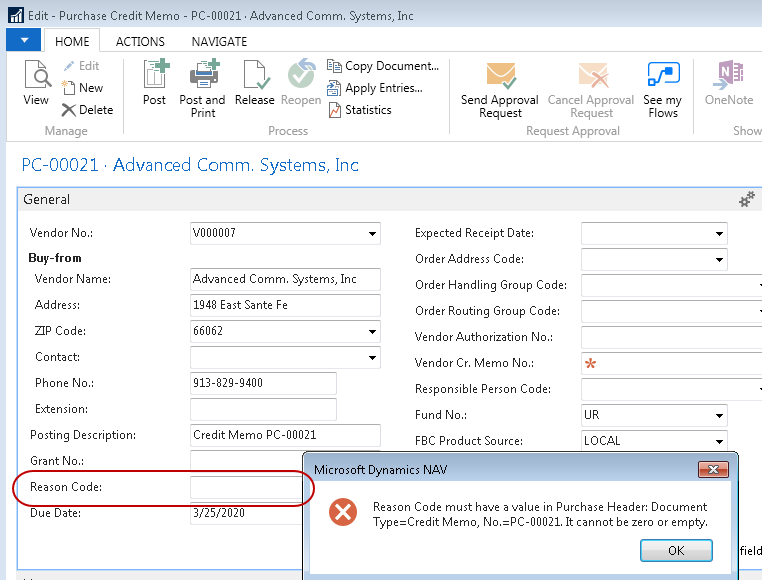
When Reason Code Mandatory is checked in Purchases & Payables Setup, attempting to post a Purchase Credit Memo without a Reason Code specified in the header will result in the following error.
Agency Return Order
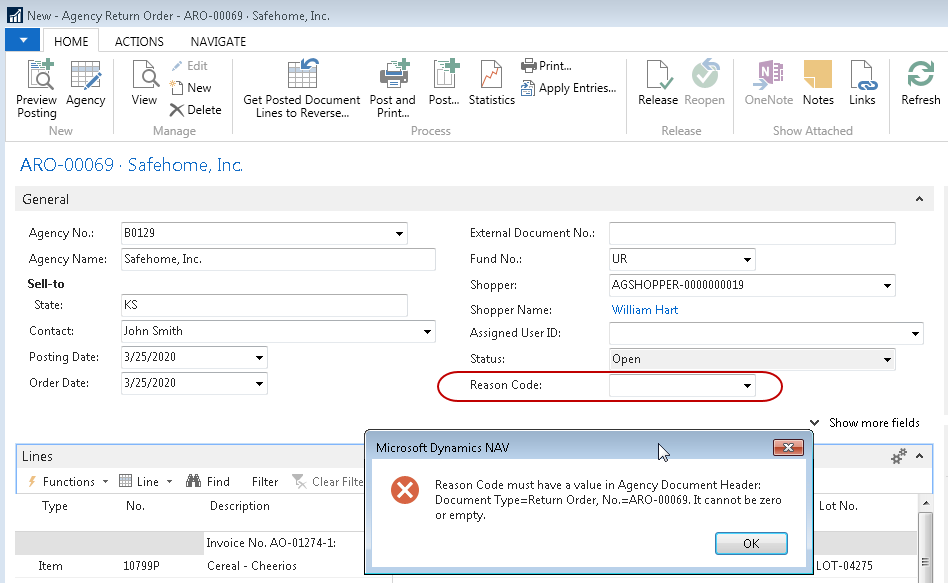
When Reason Code Mandatory is checked in Agencies & Receivables Setup, attempting to post an Agency Return Order without a Reason Code specified in the header will result in the following error.
Related Topics
- Agency Credit Memos
- Agency Return Orders
- Item Journal Adjust Quantities
- Item Reclass Journal Overview
- Physical Inventory Counts and Inventory Journals
- Physical Inventory Counts and Whse Inv Journals
- Purchase Return Order Overview
- Purchase Credit Memo Overview