Creating and Opening Accounting Periods
Before you can post in a fiscal year, you must open the fiscal year and define its accounting periods. You must also specify whether or not users can post into particular periods. This allows you to prohibit users from posting transactions into incorrect periods.
This document outlines the process used to create and open new accounting periods in Ceres.
Ceres Object release 5.00.00 is required for the functionality described in this document.
Opening a New Fiscal Year

-
Navigate to Departments ▸ Financial Management ▸ Setup ▸ Administration and select Accounting Periods, or in the Search box, enter “Accounting Periods”, and then choose the related link.
-
On the Actions tab, in the General group, choose Create Year.

-
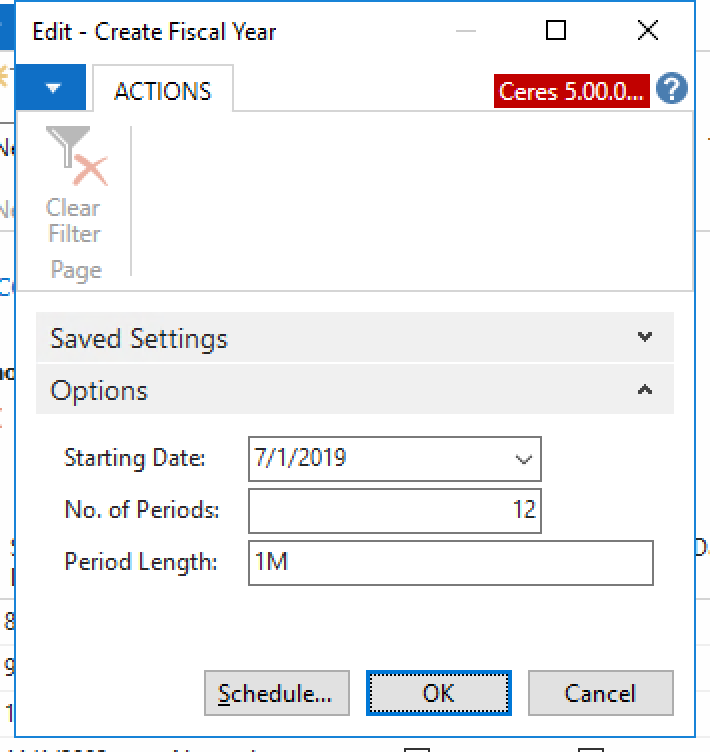
Fill in the fields to define the structure of the fiscal year. The fiscal year is typically 12 periods of one month each, but you can also divide it in other ways.
-
Choose the OK button.
-
Ceres creates the accounting periods and shows the result. It fills in the Starting Date field and fills in the Name field by using the name of the month from the starting date. After the last period in the fiscal year, Ceres inserts an accounting period and the New Fiscal Year field is selected.
Specifying Posting Periods
-
Navigate to Departments Financial Management Setup Administration and select General Ledger Setup, or in the Search box, enter “General Ledger Setup”, and then choose the related link.
-
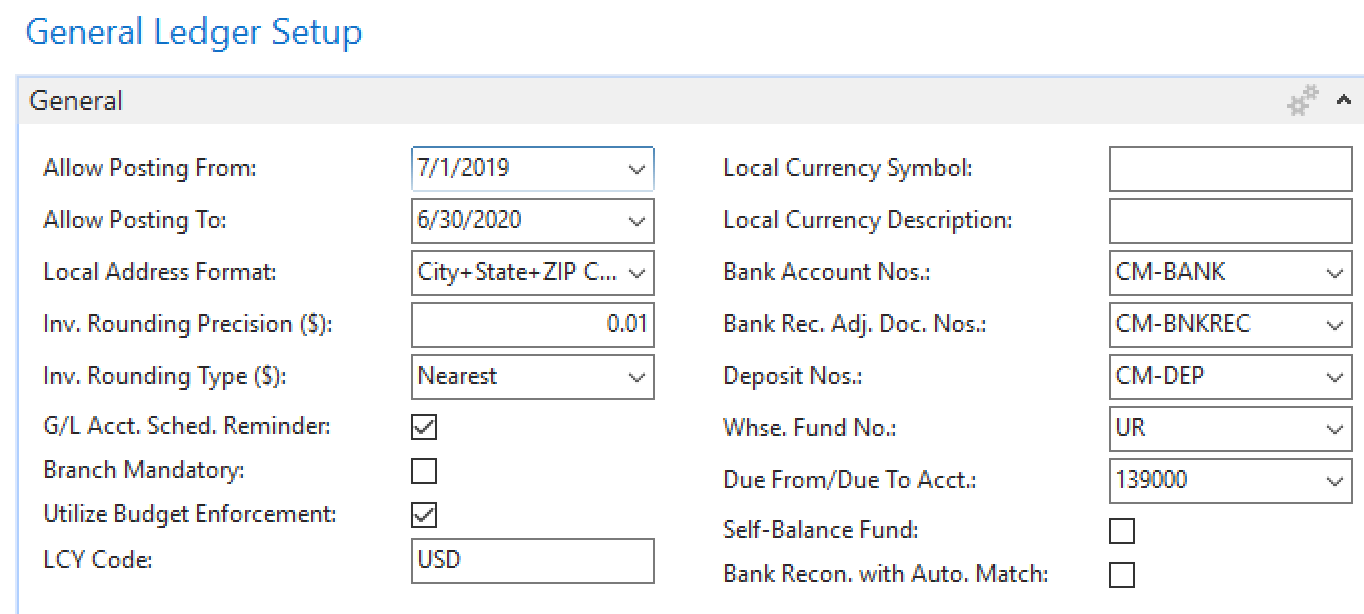
In the General Ledger Setup window, on the General FastTab, enter a date in the Allow Posting From field to specify the beginning of the current open period.
-
To specify the end of the period, enter a date in the Allow Posting To field that defines the end of the current accounting period. The dates that you define here apply to the company and to all users.
 note
noteIf you want to define different posting periods for different users, you can set them up for each user in the User Setup window. Dates entered in the User Setup window override the dates entered on the General FastTab in the General Ledger Setup window.
