MealConnect Implementation Guide
The purpose of this document is to outline how to implement the integration solution; the audience is technology (not users).
Purpose
The purpose of this document is to provide guidance for the person supporting a Ceres 5 database to implement integration with MealConnect (MC). This document is not for end users.
This procedure applies to all versions of Ceres 5.x.
Overview
MealConnect is used to enter and record Agency pick up of goods from a donor. A communication setup has been developed to allow CERES to pull the details entered in MC and record both the donation order and the agency order in CERES. Setup in MC and CERES is required as well as the initial installation of the objects and setup of the NAS and job queue for communication between CERES and MC.
This guide is intended for the
-
Service tier setups note
-
Email setup and notes
Service Tier
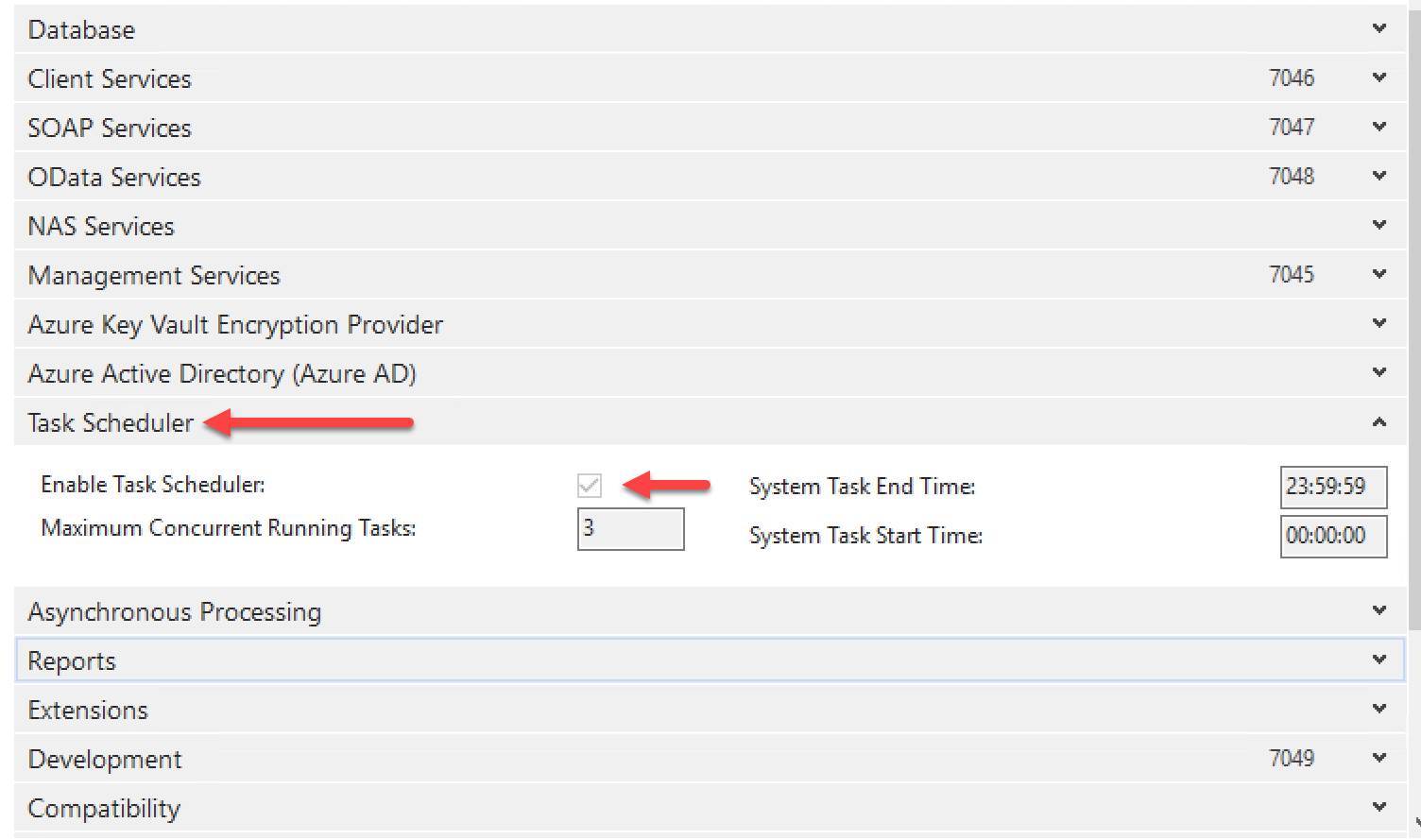
In the Business Central Tool, the service tier setup needs to have the Task Scheduler enabled.
In Ceres, the users will setup “Job Queue Entries” which in turn create the scheduled tasks that are run by the service tier to process the orders.
Email
SMTP Mail Setup
Email setups in CERES will be used to send error logs from the communications with MC and CERES.
Tdhe users will need to know the details for populating the CERES setup for the SMTP server as follows:
SMTP Server
Authentication
Userid
Password
CERES Object Notes
All of the MealConnect objects are part of the base object set in Ceres 5.
Page Modifications to consider
There may be a desire to have a custom page added to filter to show the MC posted agency invoices and posted donation orders in a list. Discussions will be required related to the business process / logic / number series used and how to create a filtered list view.