Items on Released Agency Orders Report
This document explains how to use the Items on Released Agency Order Report in Ceres 5 to aid in the suggestion of quantities of items that need to be moved or dropped to a pick bin to fulfill the Released Agency Orders for a day.
Ceres Object release 5.00.00 is required for the functionality described in this document.
Running the Items on Agency Orders Report
This report must be run for a single Shipment Date. This has to do with logic related to the Consume by Date in Ceres. This report can be run regardless of which shipping option is used. Please see the Inventory Process Flows Procedure for more information on shipment options.
-
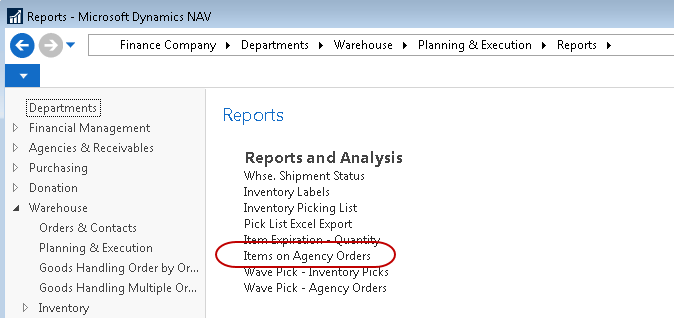
The report is available from Departments ▸ Warehouse ▸ Planning & Execution ▸ Reports ▸ Items on Agency Orders.
-
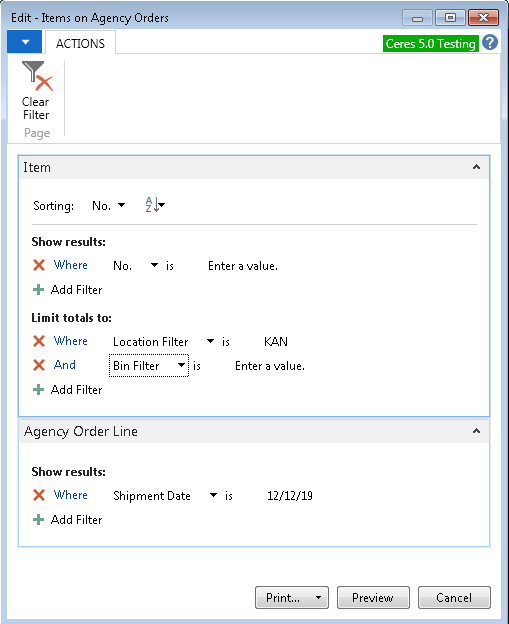
Enter any required filters on the Item FastTab of the report selection window. Location, Zone and Bin ranges are common filters.
-
On the Agency Order Line FastTab, enter the single Shipment Date for which you wish to get the drop information. If the user attempts to enter a date range, the following message will appear:

-
Select Print to print a hard copy or Preview to preview the report.
-
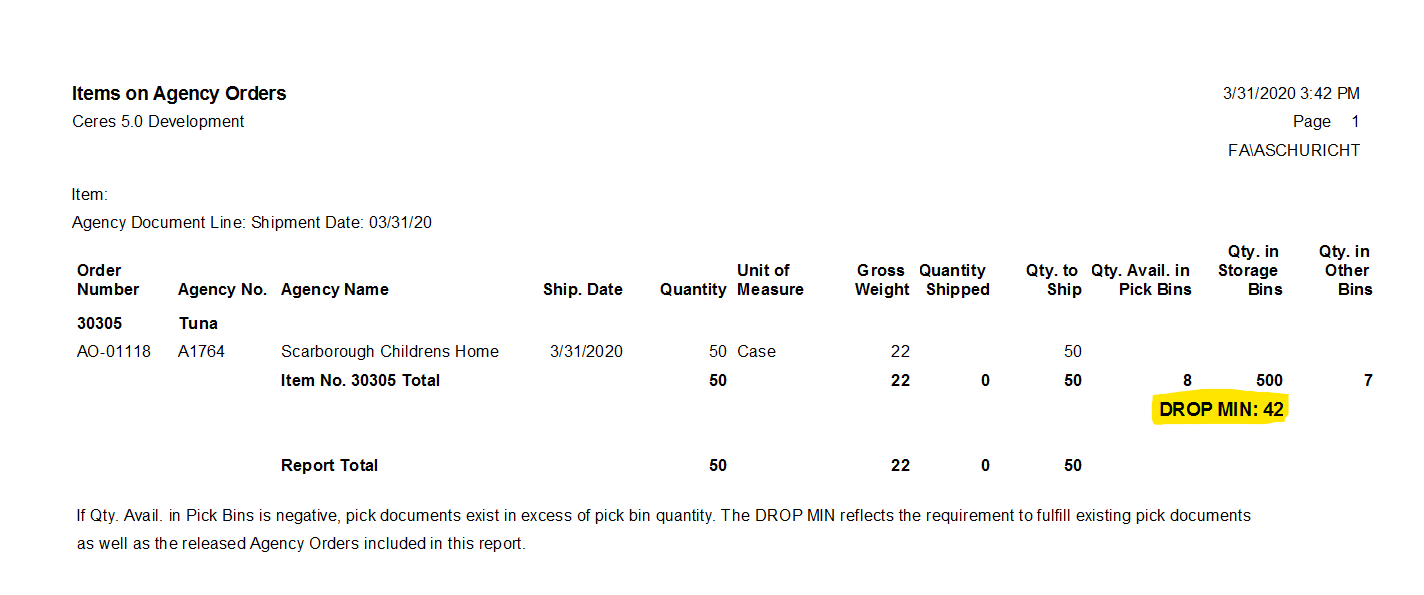
Any filters entered will display on the report as shown below (top left). The Quantity on the released orders will display for all items as well as the Qty. Available in Pick Bins (not including any quantity on picks for orders with other shipment dates) and Qty. in Storage Bins.
-
The report will recommend the minimum quantity of an Item to drop in order to fulfill orders for the shipment date specified in the DROP MIN line. The user may select to drop more than the minimum quantity.
-
This report is a guide for the warehouse team. After this report is run, the actual moves, with the associated Pallets, Lots, and Bins must be recorded in the Movement Worksheet and Posted prior to generating the Pick Reports for the day.