Receipts and Distribution Report with XML Export
This explains how to generate the report and XML file of the Receipts and Distribution Report data in Ceres 5 for upload to HungerNet.
The Receipts and Distribution Report was designed specifically for Feeding America's QPR reporting. It contains many complicated filters that make it unsuitable for use as a source of inventory or inventory valuation information. A QPR Data Information Excel file is available that details exactly how the report is filtering data from Ceres.
Ceres Object release 5.00.00 is required for the functionality described in this document.
Receipts and Distribution Report
-
The Receipts & Distribution Report can be accessed from Departments ▸ Warehouse ▸ Inventory ▸Reports ▸ Receipts & Distribution Report.

-
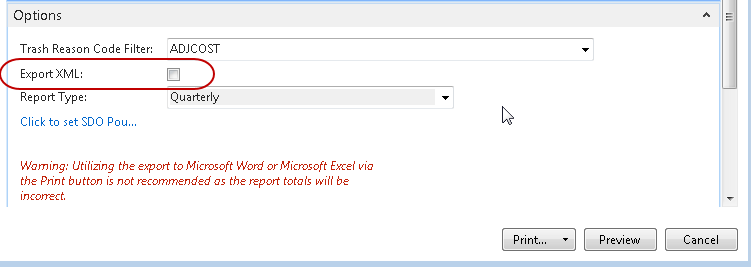
If the Export XML option is not selected:
-
The report can be run for any Date Filter.
-
The XML file will not be created.
-
-
If the Export XML option is selected:
-
The report can only be run for a Date Filter that spans a complete Month or Quarter depending upon which Report Type has been selected.
-
The Report Type “Monthly” or “Quarterly” must be selected and match the period covered by the Date Filter.
-
The XML file will be created in the location specified in the Temp Path field for the user as specified in the User Setup Table. (Once saved it is recommended to move the report to a location on your network so that more than just the person creating the export can access the file).

-
-
The XML file will be named by the process as follows:
"receiptsDistribution" + Food Bank ID + Begin Date Filter + End Date Filter.xml
Example:

-
Amounts on both the Report and XML Export are rounded to the nearest whole number.


-
The source for the fields on the Receipts and Distribution report can be found in the QPR Data Information Excel file.