Hide Dormant Records
Hide Dormant Records allows users to exclude blocked or dormant master records for Agencies, Donors, Vendors, or Items from Lists. Any record marked as dormant will be filtered and that record will not appear on the List. This way the user only sees records that are active. Filters can be removed so the user can see dormant records as needed.
Ceres Object release 5.00.00 is required for the functionality described in this document.
Hide Dormant Records
-
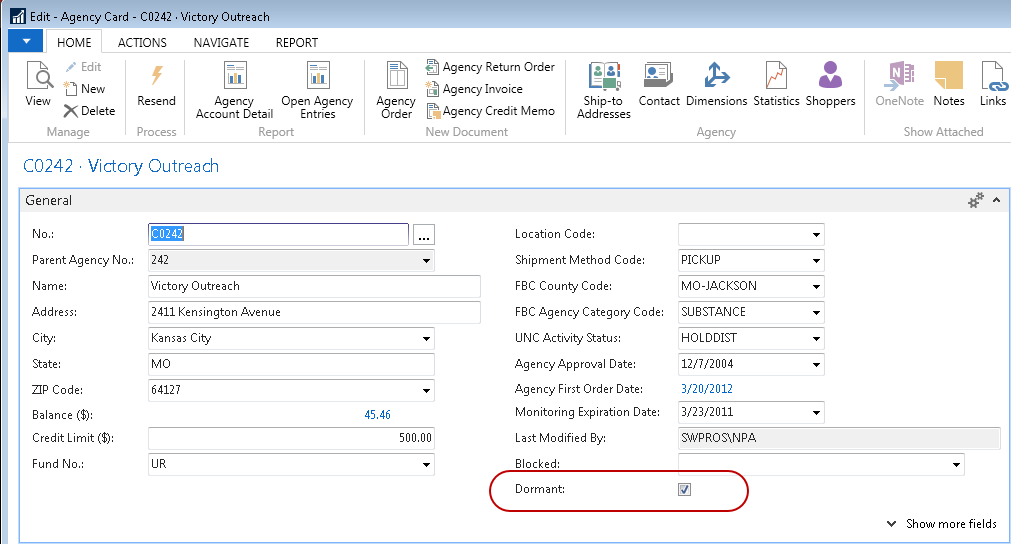
To mark a record as dormant, toggle the Dormant field on the General FastTab of the Agency, Donor, Vendor, or Item Card.
-
Toggling the Dormant field on the Card excludes this record from displaying on the associated List.
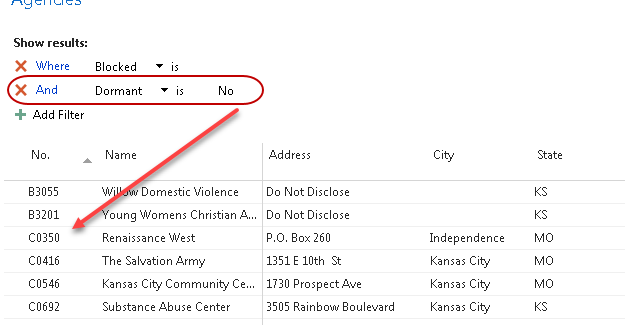 note
noteIn the screen shot above, Agency B0686 was marked as Dormant so the record no longer displays on the List when it is filtered to records where Dormant is set to No.
-
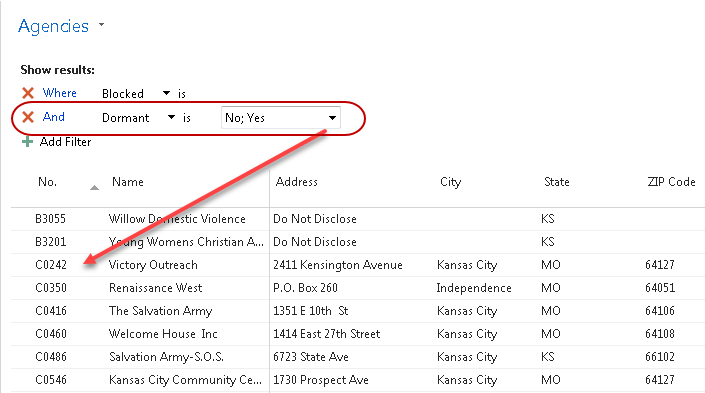
To view both dormant and active records in the List, either delete the Dormant filter or set the filter value to Yes and No.