Order Handling Groups and Order Routing Groups
This document is designed to help illustrate the setup and uses of Order Handling and Routing Groups in Ceres 5. They can be used to facilitate grouping of orders into logical subgroups by either type of order or delivery routing information.
Ceres Object release 5.00.00 is required for the functionality described in this document.
Overview
Food banks often need to group orders together for receiving, fulfillment, or distribution to make day-to-day processing easier. Common groupings include by Program (Kids Cafe orders for example) or by delivery area (Rural drop site etc.). Order Handling Groups and Order Routing Groups can be used to create groups, and allow those groups to default from Agencies, Donors or Vendors to their associated orders.
Both Order Handling Groups and Order Routing Groups apply to Agencies, Donors, and Vendors and related documents, as well as some warehouse processes.
This document outlines the setup and functionality related to Order Handling Groups and Order Routing Groups only. Order grouping as it relates to Appian, CMobile, or Roadnet is covered in other documents.
Order Handling Groups and Order Routing Groups Setup
-
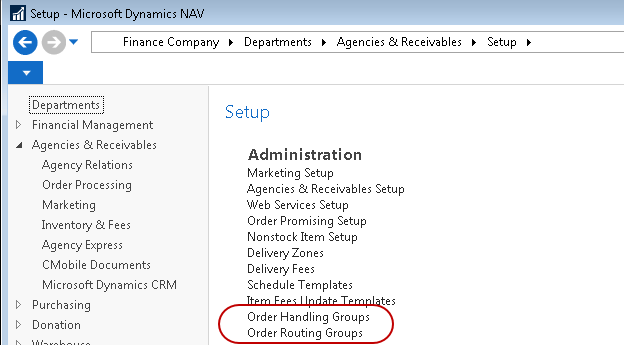
To setup Order Handling Groups and Order Routing Groups navigate to Departments ▸ Agencies & Receivables ▸ Setup ▸ Order Handling Groups or Order Routing Groups.
-
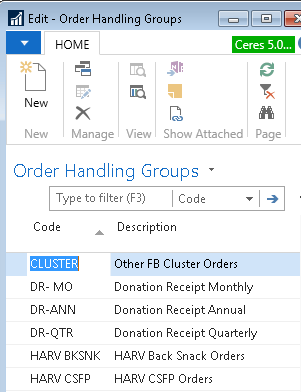
Select Order Handling Groups or Order Routing Groups and a List will display in edit mode. In the below examples, Order Handling Groups was selected.
-
To create a new Order Handling Group, select Home ▸ New. Complete the required fields.
Code: A unique identifier for the new Order Handling Group
Description: A brief description of the Order Handling Group
-
Repeat the steps above to create a new Order Routing Group. You do not need to use both options, unless that level of order grouping is desired.
Using Order Handling Groups and Order Routing Groups
Both an Order Handling Group Code and an Order Routing Group Code can be established as default values on an Agency, Donor, Food Drive Donor, or Vendor. The fields are located on the following FastTabs:
Agency Card: Shipping FastTab
Donor and Food Drive Donor Card: Receiving FastTab
Vendor Card: Receiving FastTab
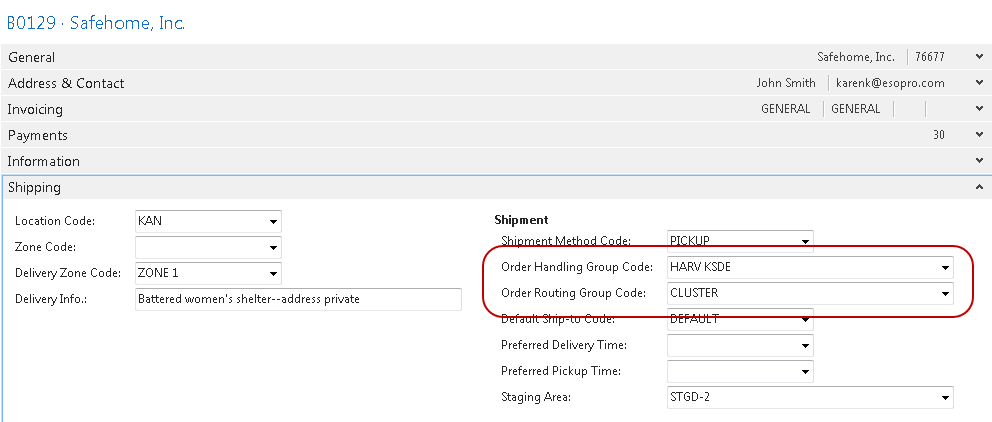
Once linked, the default Order Handling Group Code and Order Routing Group Code flow from the Agency, Donor, Food Drive Donor, or Vendor to the order or other document. The default can be overridden by inputting or selecting a new value. The fields are located on the following FastTabs:
Agency Documents: Shipping FastTab
Donation Documents: Receiving FastTab
Purchase Documents: Receiving FastTab
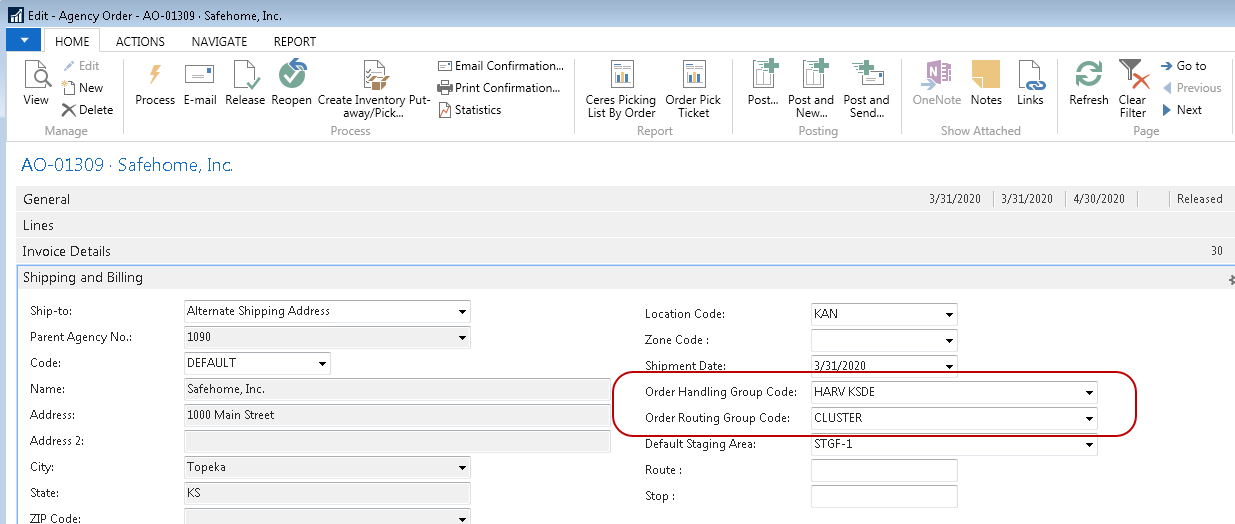
The Order Handling Group Codes and Order Routing Group Codes can be used as filters when processing orders, creating the Warehouse Activity Plan (WAP), generating allocated orders, or generating Inventory Picks.
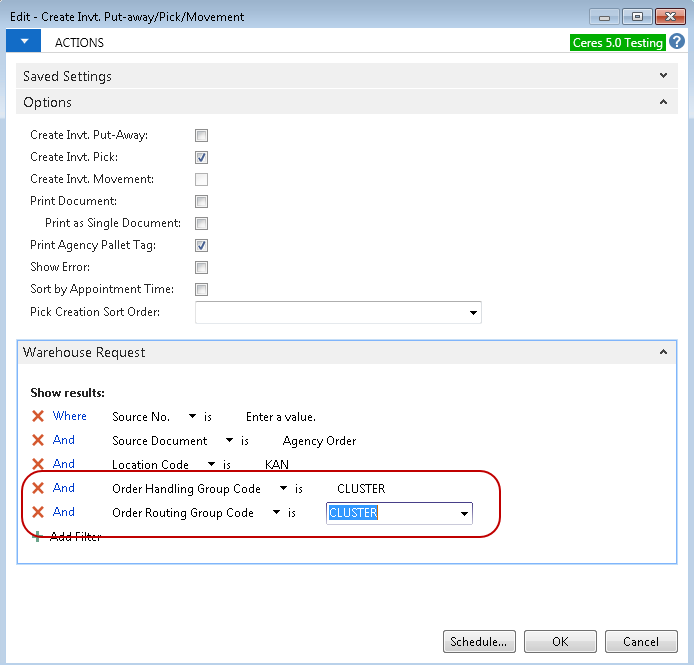
When the order or transaction is posted, the Order Handling Group Code and Order Routing Group Code flow to the posted document.