Agency Item/Statistics Detail/Summary Report
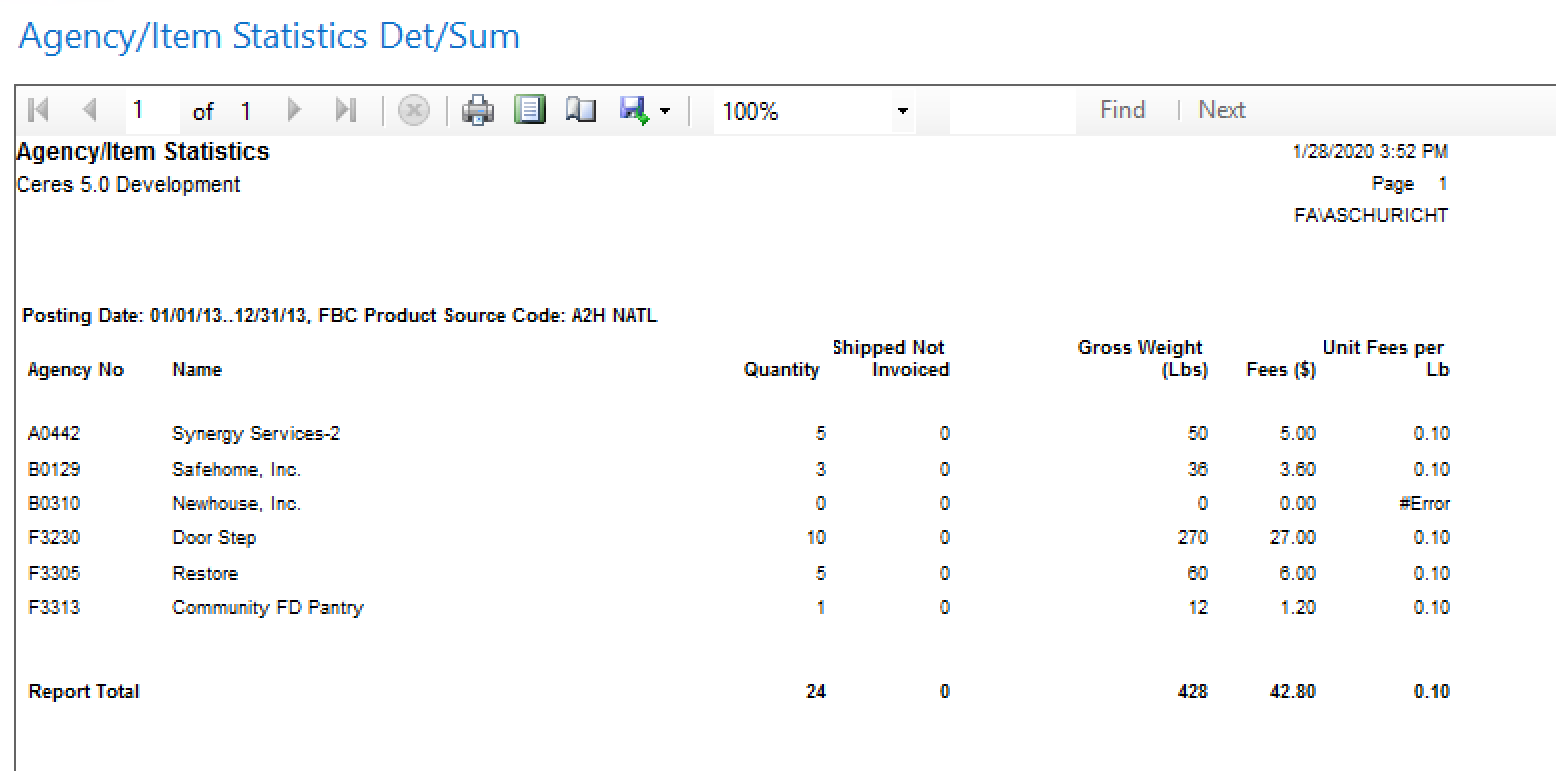
The Agency Item/Statistics Detail/Summary Report in Ceres 5 provides the ability to report on the Items that have been distributed to your agencies both in Detail and in Summary. This report has been part of Ceres since the initial release, but the report has included a Unit Fees per Pound column since Ceres 4.0. The value that prints in this column is calculated at runtime as the sum of Fee Amount (Actual) divided by the sum of the Ext. Gross Weight for each line.
Ceres Object release 5.00.00 is required for the functionality described in this document.
-
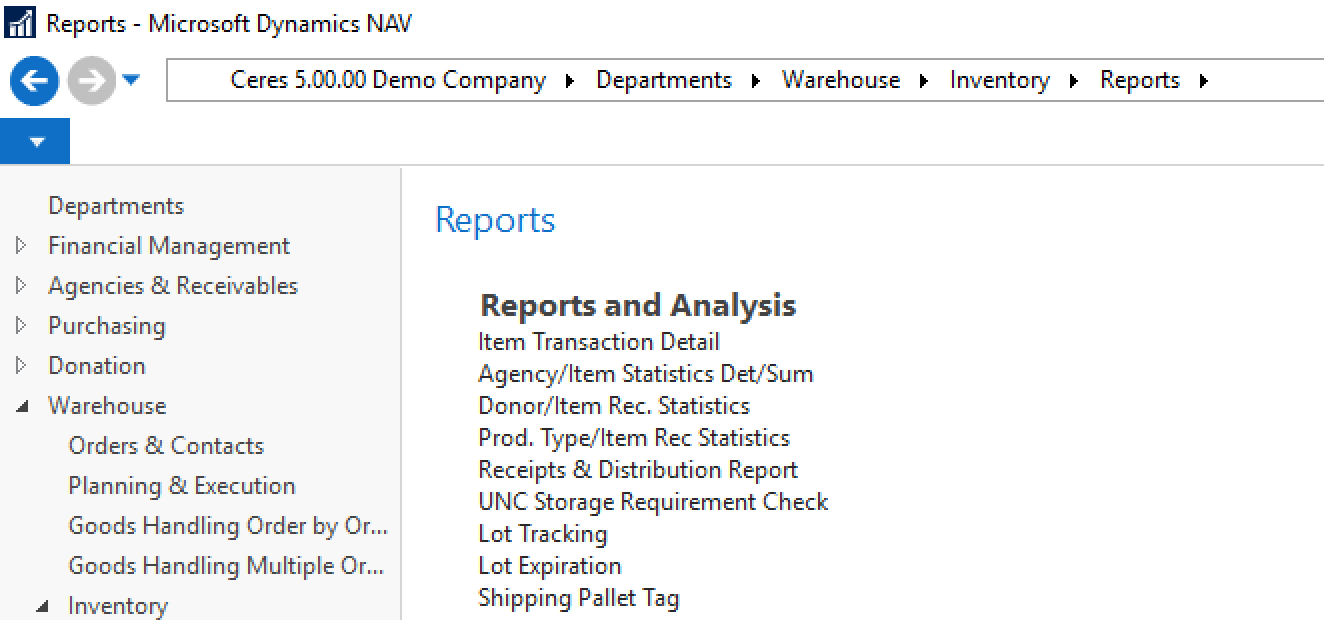
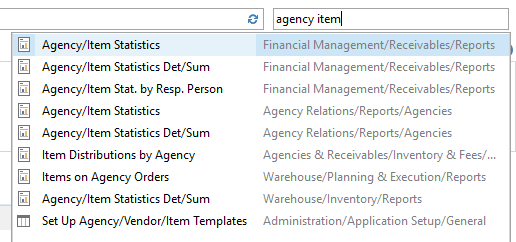
The Agency Item/Statistics Det/Sum Report can be accessed from Departments ▸ Warehouse ▸ Inventory ▸ Reports ▸ Agency ▸ Item/Statistics Det/Sum (and other menus):
 note
noteThere is also a report in Ceres called Agency/Item Statistics. These two reports are not the same.
-
The Agency Item/Statistics Det/Sum report request page will be displayed so users can set filter criteria based on how they want to run the report.
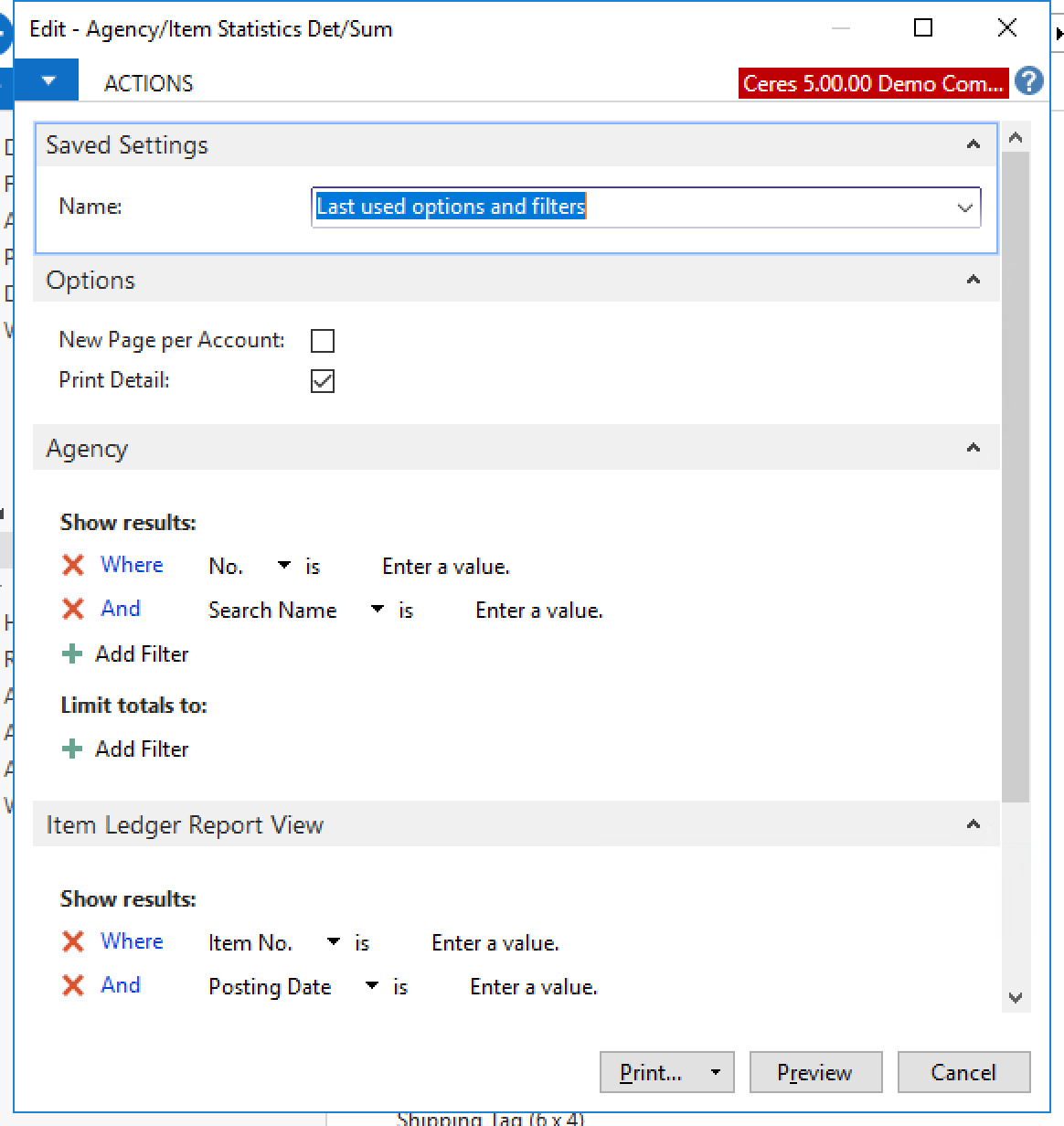
A description of the fields follows:
New Page per Account - Select this option if you would like to have Ceres create a new page for each account (Agency) included in the report run.
Print Detail - Select this option if you would like the report’s output to include item details which support the summary information (see screen shots below for sample Det/Sum data).
Agency: Show Results Section - The report is based on the Agency Card so any standard Agency filtering field may be selected to refine the agencies for which you would like to include in the evaluation of the report. Standard fields you can filter by include:
- No.
- Search Name
Agency: Limit Totals to Section - Filters can be added to this section to specify limiting criteria for the report run as applicable. A common filter used is a Date Filter.
A request page is also available for the Item Ledger Report View table data (which includes UNC/ FBC Codes assigned to each transaction).
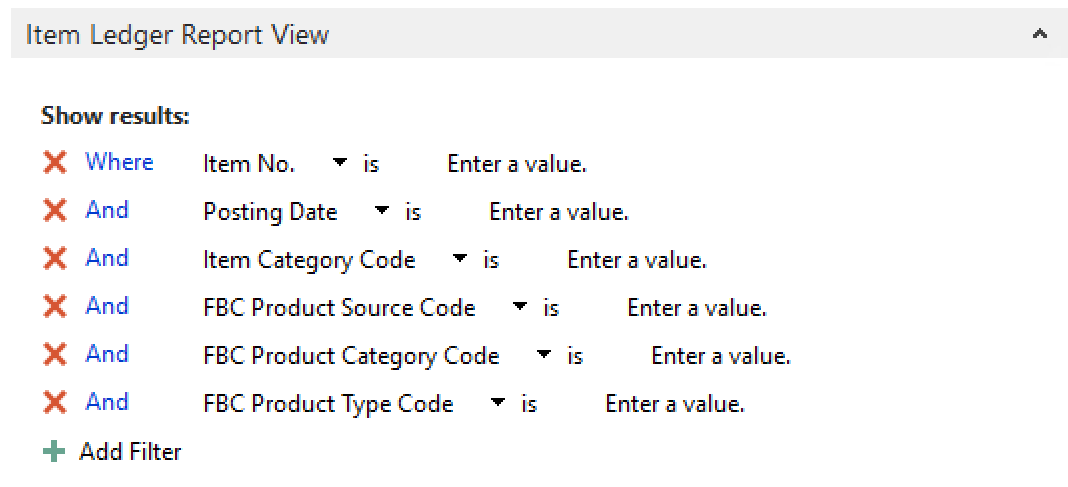
Item: Show Results Section - The report uses Item Ledger Report View table data so any standard filtering field may be selected to refine the ledger for which you would like to include in the evaluation of the report. Standard fields you can filter by are:
- Item No.
- Posting Date
- Item Category Code
- FBC Product Source Code
- FBC Product Category Code
- FBC Product Type Code
Printing or Previewing the Report
You can print or preview the report by clicking on the Print or Preview button.
Summary View
This example includes a Date Filter and an FBC Product Source Code filter.
Detail View
This example has the Print Detail option selected. Other filters are the same:
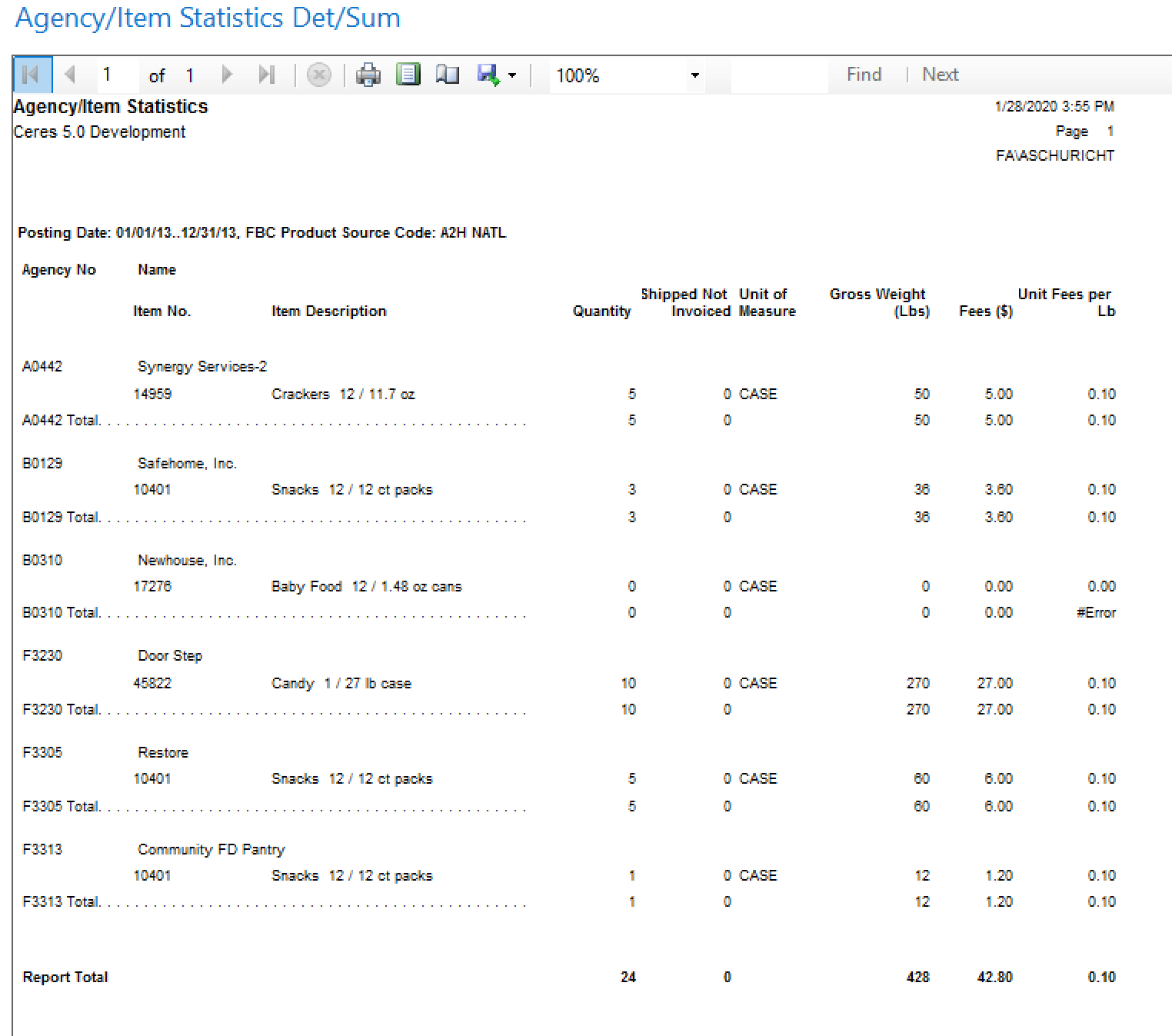
A report total is provided on the last page.