Voiding an AP Check
Voiding a check may be necessary if a check was lost, was posted incorrectly or has not cleared the bank. This procedure outlines the necessary steps.
TODO: Expand documentation to include void/correct an ACH payment made with a Payment Method.
This document describes the steps on how to void an AP check in Ceres 5.
Ceres Object release 5.00.00 is required for the functionality described in this document.
Voiding an AP Check
-
You can void checks from the Check Ledger Entries window.
-
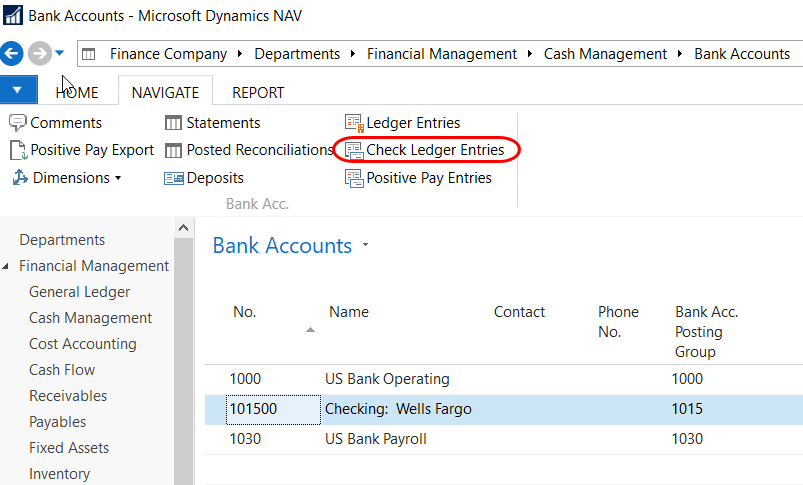
The Check Ledger Entries window can be accessed from Departments ▸ Financial Management ▸ Cash Management ▸ Lists ▸ Bank Accounts. Highlight the Bank Account the check you want to void was written from and then select Navigate ▸ Check Ledger Entries.
-
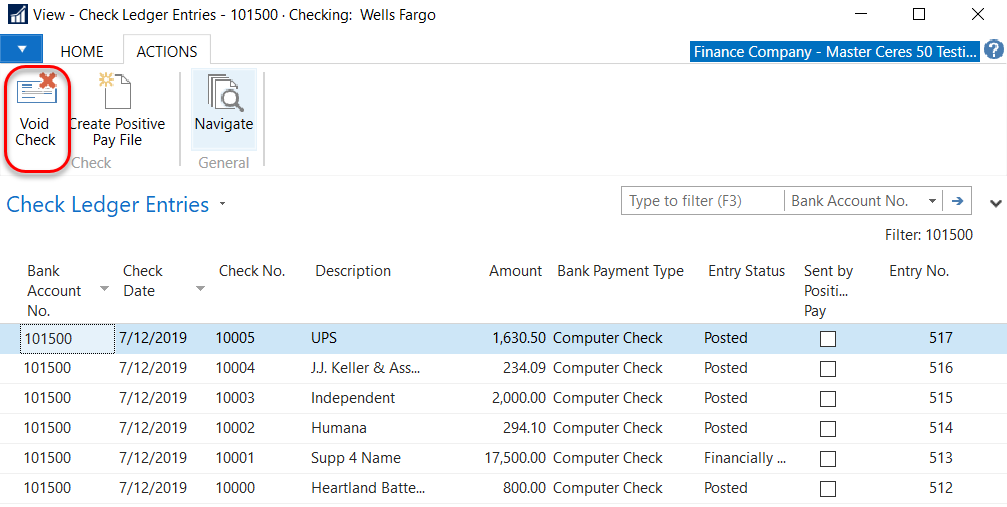
Find the check you want to void and then from the Action ribbon, select Void Check. The Entry Status field must be Posted to void a check.
-
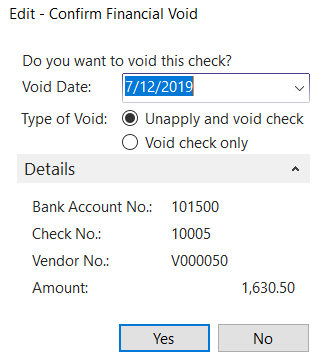
In the Void Date field, enter the date you want to void the check.
-
Select the Type of Void. The options are:
Unapply and void check: The payment will be unapplied so that the vendor ledger entry for the invoice will be open, and the payment will be reversed by the voided check.
Void check only: The vendor ledger entry will still be closed by the payment entry, and the voided check entry will be open.
-
Click Yes to void the check.
-
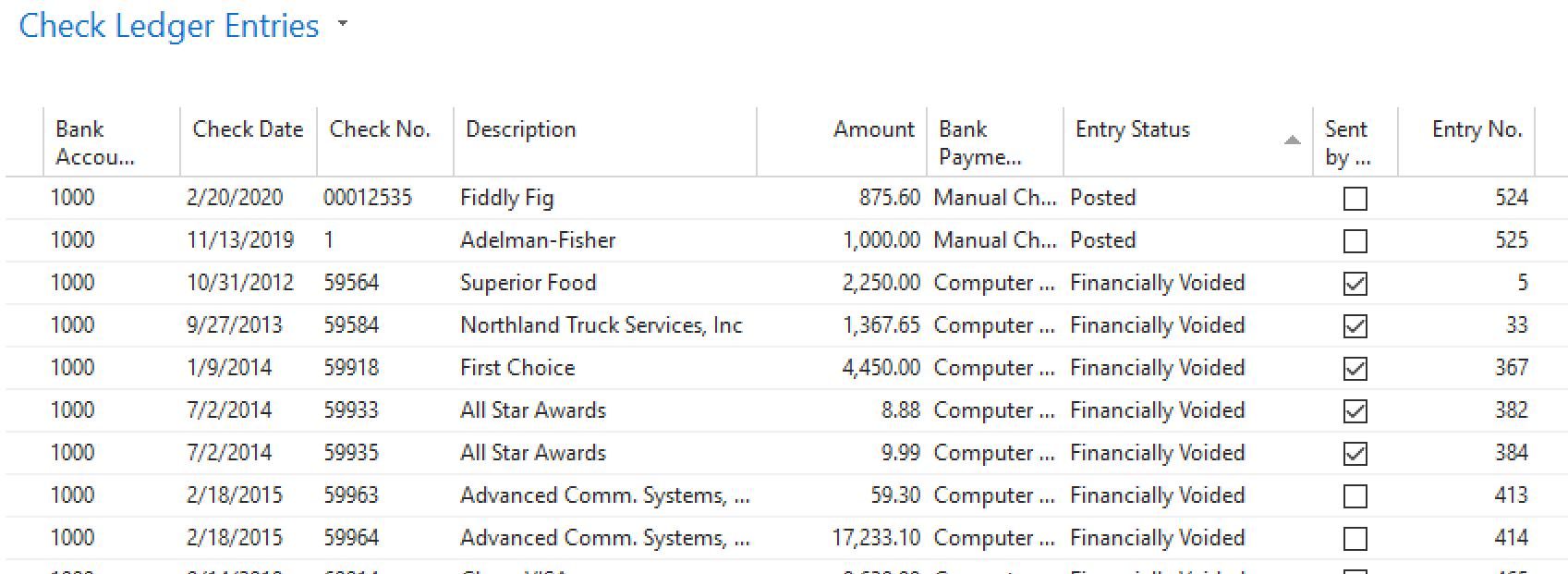
Ceres creates a new entry with the posting description Voiding check XXXX. The Entry Status field on the check ledger entry is changed to Financially Voided.
 note
noteIf you want to re-issue a check that has been voided, you must enter a new payment in the payment journal. If the voided check was unapplied, you can apply the new check to the original invoice entry. If the voided check was not unapplied, then you must apply the new check to the vendor ledger entry that was created by Ceres when the check was voided.
Common Errors
One common error that prevents voiding a check is that the check is currently sitting on an unposted Bank Reconciliation document, waiting to be reconciled. The error message says "Statement Status must be equal to 'Open' in Check Ledger Entry."

To prevent the error, either finish and post the bank reconciliation, or delete the check line from the Bank Reconciliation form.
To delete lines from the Bank Rec form, use the Clear Lines... button on the Actions tab. Filtering by a single document number will be helpful in this case.