Default Report Copies
A food bank may wish to always print a specified number of copies of a particular report each time it is run. A No. of Copies field exists in the Report Selections to facilitate this.
Ceres Object release 5.00.00 is required for the functionality described in this document.
Overview
Food banks have requested the ability to define a default number of copies to print for specific commonly printed reports. To meet this request, a No. of Copies field was added to the Report Selection Table.
The reports that are supported include:
| Usage | Report Id | Report Name |
|---|---|---|
| D. Inv. | 14012269 | Posted Donor Invoice |
| D.Order | 14012256 | Donation Receipt |
| D.Rcpt. | 14012268 | Posted Donation Receipt |
| P. Arch. Return Order | 418 | Arch.Purch. Return Order |
| P.Arch. Order | 416 | Archived Purchase Order |
| P.Arch. Quote | 415 | Archived Purchase Quote |
| P.Blanket | 10119 | Purchase Blanket Order |
| P.Cr.Memo | 10120 | Purchase Credit Memo |
| P.Invoice | 10121 | Purchase Invoice |
| P.Order | 10122 | Purchase Order |
| P.Quote | 10124 | Purchase Receipt |
| P.Receipt | 10124 | Purchase Receipt |
| P.Ret.Shpt. | 10127 | Return Shipment |
| P.Return | 6641 | Return Order |
| S. Arch. Return Order | 418 | Arch. Sales Return Order |
| S.Arch. Order | 216 | Archived Agency Order |
| S.Arch. Quote | 215 | Archived Agency Quote |
| S.Blanket | 10069 | Sales Blanket Order |
| S.Cr.Memo | 10073 | Agency Credit Memo |
| S.Cr.Memo | 14012523 | Agency Credit Memo |
| S.Invoice | 10074 | Agency Invoice |
| S.Invoice | 14012524 | Agency Invoice |
| S.Invoice | 14012533 | Agency Invoice w/ Grant Det. |
| S.Invoice | 14012534 | Agency Order w/ Grant Det. |
| S.Order | 10075 | Agency Order |
| S.Order | 14012273 | Agency Order |
| S.Order | 14012525 | Ceres Agency Order |
| S.Ret.Rcpt. | 10082 | Return Receipt |
| S.Return | 10081 | Return Authorization |
| S.Shipment | 10077 | Agency Shipment |
| S.Shipment | 14012280 | Agency Shipment Order |
Report Selections
To access the Report Selection setup, type Report Selection in the Search field or navigate to Departments ▸ Administration ▸ IT Administration ▸ Reports. Select the Report Selection you want to update.
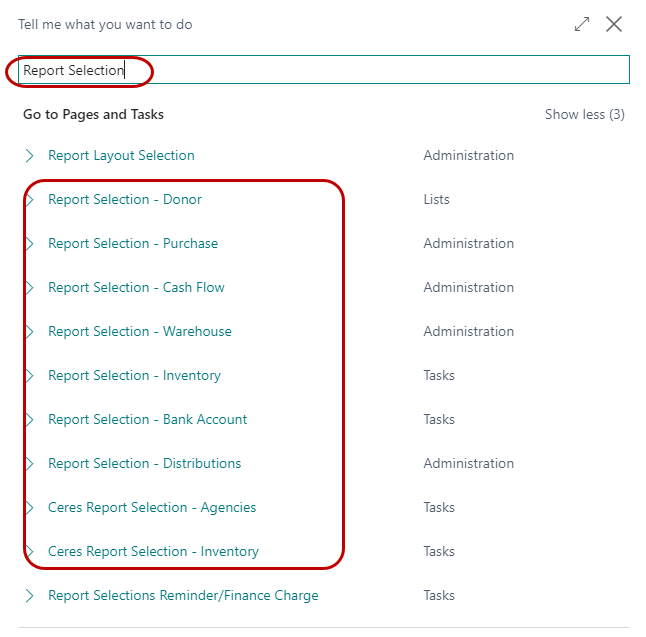
Report Selection - Donor appears in a different menu. Navigate to Departments ▸ Administration ▸ Application Setup ▸ Donation to find it.
-
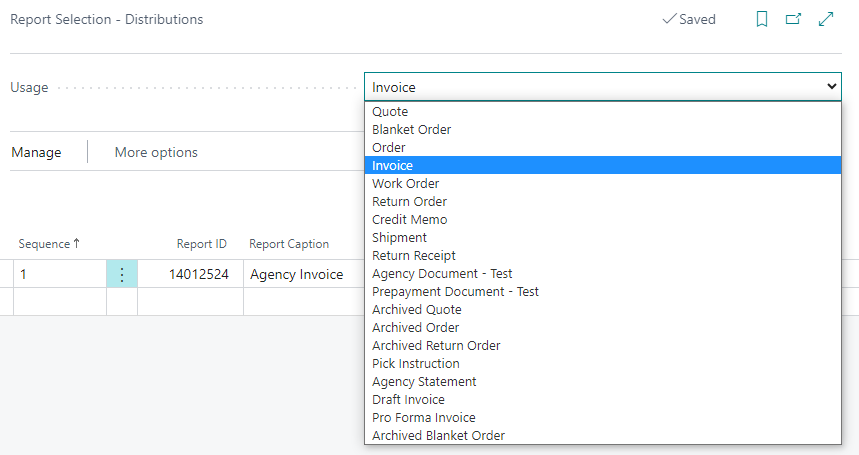
From the Usage field on the Edit - Report Selection Page, select which report (document) you would like to update.
-
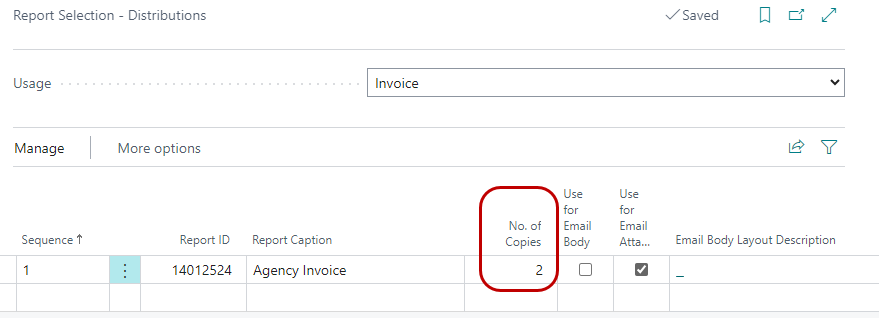
In the No. of Copies field, input the additional number of report copies you would like to print. Keep in mind that one original will also print. For example, if you wish to print three total copies, set No. of Copies to 2 (one original plus two additional.)
-
To test, print the report for each Report Selection you updated. Confirm that the correct number of copies print. In the above example, printing a Posted Agency Invoice should result in three Agency Invoices.
-
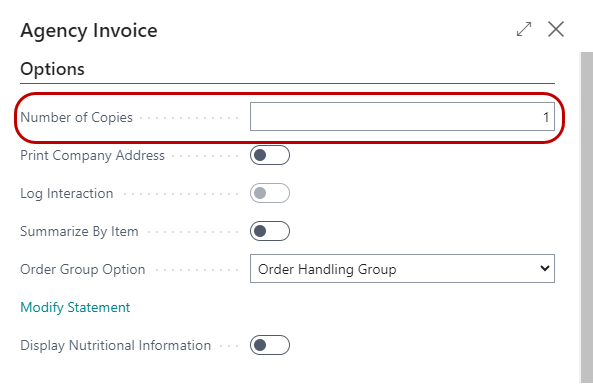
When printing reports, you can also add additional copies by adding an amount in the No. of Copies field on the Options FastTab of the report request screen. In the below example, four Agency Invoices will print; one original, two copies from the default setup above, and one more copy as specified here. Please note that entering 0 in the Number of Copies field prints the number of copies defined in the Report Selections (or three in our example.)