Top Donor Report
The Top Donor List report provides a listing of the top X number of donors by their cumulative gross weight of donations. This document provides an overview of how to run the report.
Ceres Object release 5.00.00 is required for the functionality described in this document.
Running the Top Donor List Report
-
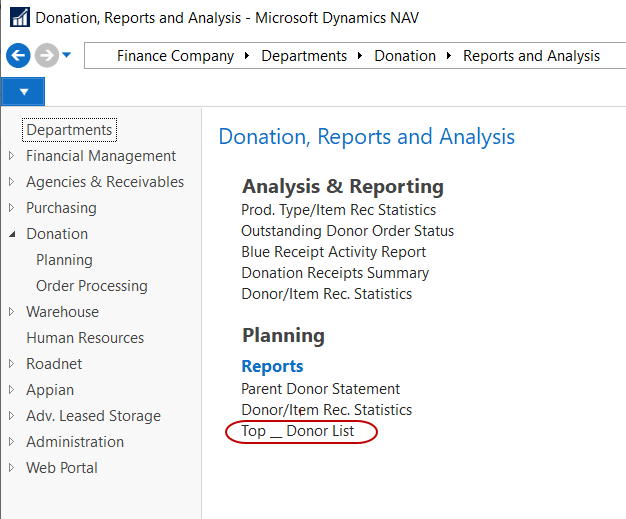
The Top Donor List report can be accessed from Departments Donation Planning Reports Top_Donor List.
-
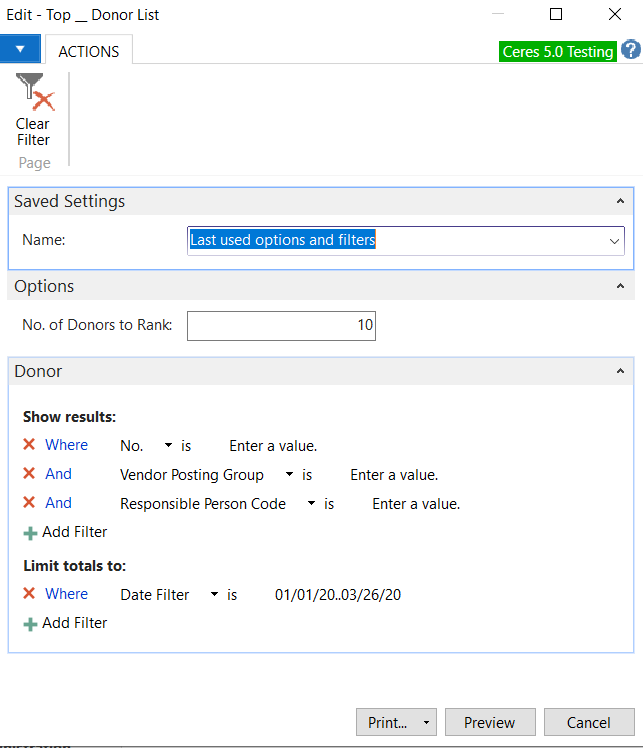
The Top_Donor List Request Page will display where users can set filter criteria based on how they want to run the report.
-
On the Options Tab, enter the number of donors you would like to rank in the No. of Donors to Rank field. The report is limited to 99 donors. If you attempt to enter a number greater than 99 the below message will appear. Additionally, if the report is run with a zero (0) value in this field, it will default the number of donors to rank at 20.
-
On the Donor Tab, set a Donor No filter and update the date range specified in the Date Filter field. Other filters can be set based on what you want to run the report.
-
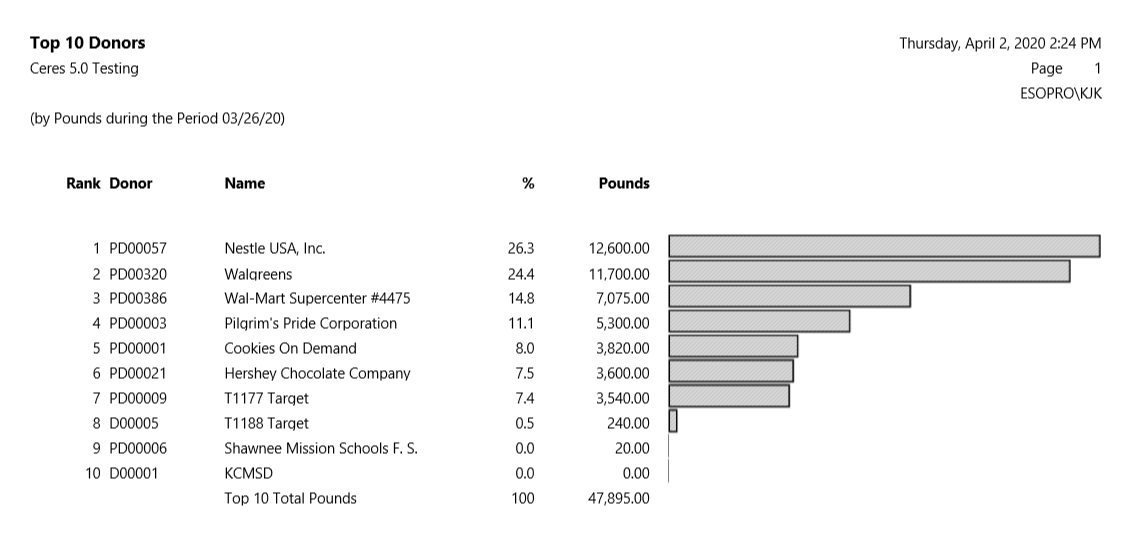
Click Print or Preview. Below is an example of the report.
Related Topics
- Donor Overview
- Donation Order Overview
- Food Drive Overview
- Food Drive Enhancements